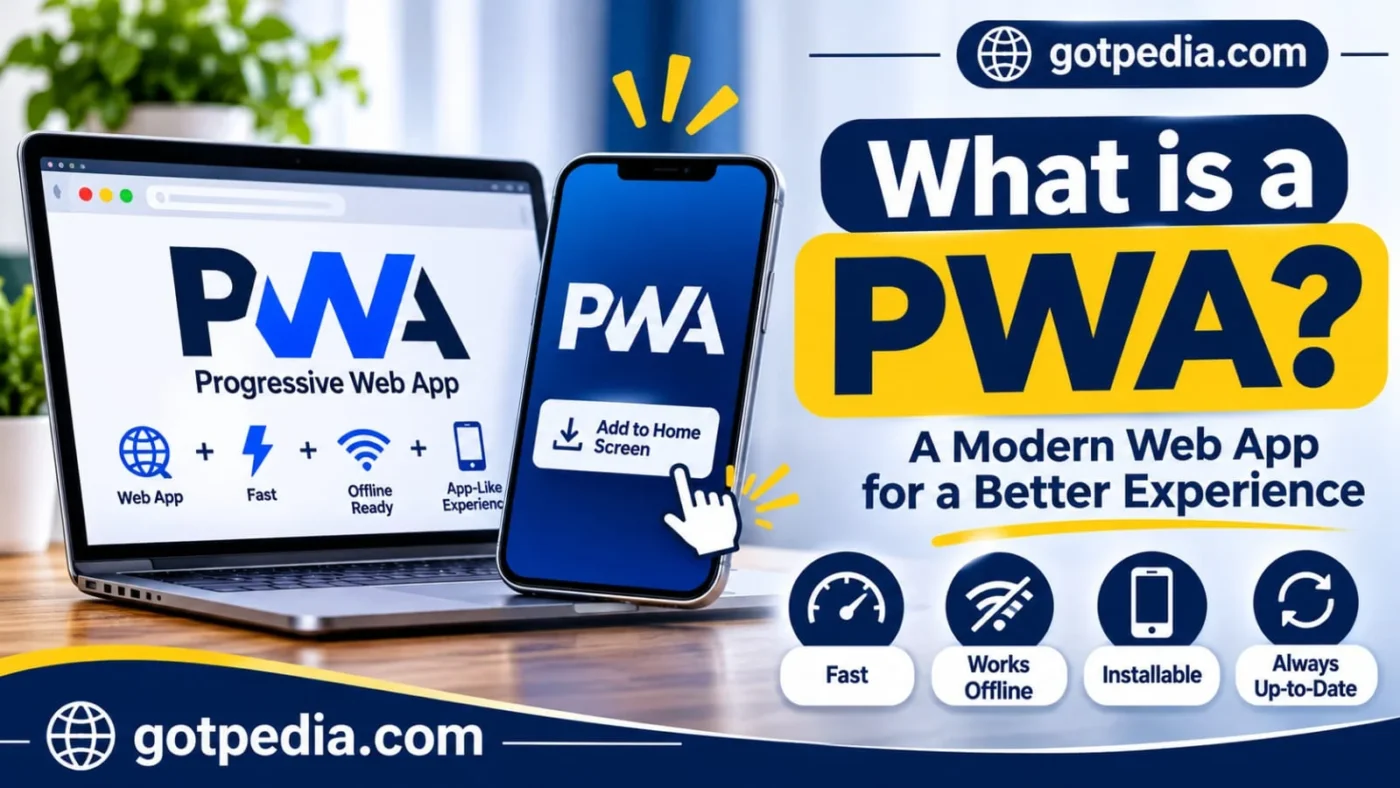
What Is a PWA? Progressi;ve Web Apps Explained
A progressive web app (PWA) is a website built with standard web technologies that can be installed on a phone or computer, work offline, and send notifications like a native app. It runs from a single codebase in the browser and typically needs HTTPS, a web app manifest, and a service worker.
What Is a PWA?
A PWA is a website that has been built to act like an installed app. You open it from a link, and if you choose, you can add it to your home screen or desktop and launch it in its own window, without going through an app store.
The idea is older than the label. According to Wikipedia, designer Frances Berriman and Google Chrome engineer Alex Russell coined the term “progressive web apps” in 2015 for sites that take advantage of newer browser features. MDN’s overview describes the outcome as an app built with web platform technologies that delivers an experience like a platform-specific app.
Why “Progressive”?
Because it improves step by step. A PWA still works as an ordinary page in any browser. Where the browser supports more, the same code adds installation, offline use, and notifications. Less capable browsers get the basic site rather than a broken one.
The Three Building Blocks
Most PWAs rest on three things: HTTPS so traffic is encrypted, a web app manifest that describes the app, and a service worker that handles caching and background tasks. Everything else, from push notifications to file handling, is an optional layer on top.
How Does a PWA Work?
A PWA works by loading like a normal site, then using a manifest and a service worker to behave like an app. The first visit downloads the page as usual. Later visits can be served from a local cache, even when the network is slow or gone.
The exchange between your device and the server is ordinary web traffic, addressed the same way as for any other site (if you are curious how that addressing works, our guide on how to find your IP address is a good starting point). What changes is what your browser keeps on your device afterward.
The Web App Manifest
The manifest is a small JSON file that tells the browser how to present the app. It lists the app name, icons, the page to open first, and the display mode, such as a standalone window with no browser toolbar. Without it, the browser has nothing to build a home-screen icon or install prompt from, and MDN’s guide to making PWAs installable explains what browsers look for.
The Service Worker
A service worker is a script that sits between your page and the network. It can answer requests from a cache, fetch fresh data when a connection returns, and receive push messages while the app is closed. It moves through three stages: registration, installation, and activation. A new version usually waits to activate until pages using the old one are closed, which is why users sometimes see an old version right after an update.
The App Shell and Caching
Many PWAs cache an app shell, the basic frame of the interface: header, navigation, and layout. The shell loads instantly from the device, then fresh content fills in. That is why an installed PWA can open quickly and show something useful even offline. Teams decide what to store ahead of time and what to fetch live, depending on how often the content changes.
PWA vs Native App vs Website
A PWA sits between a website and a native app: it is delivered like a website but can behave like an app. The table shows where the three differ in practice.
Table 1. Website, PWA, and native app compared
| Factor | Website | PWA | Native app |
|---|---|---|---|
| Installation | None, opened in a tab | Added from the browser to the home screen or desktop | Downloaded from an app store |
| Distribution | A URL | A URL, with optional store packaging | App store listing |
| Offline use | Usually not available | Possible through a service worker | Possible, built into the app |
| Updates | Instant on deploy | Users get the new version after the next deploy and restart | User or store update |
| Search discovery | Indexed by search engines | Indexed, because it is a website | Found mainly through store listings |
| Device access | Limited to browser APIs | Browser APIs, more when installed; varies by browser | Broadest access |
| Codebase | One | One for every platform | Usually one per platform |
Two points stand out. First, a PWA is still a website, so search engines can crawl it and one URL can be shared anywhere. Second, native apps keep the edge where deep hardware access matters. If you like plain-language explainers like this one, our technology guides cover related topics.
Key Features of a PWA
The features that set a PWA apart from a plain website are installation, offline use, and re-engagement through notifications. Each depends on browser and device support, covered in the next section.
Installable, No Store Required
Users can add a PWA to the home screen or desktop straight from the browser. There is no separate store download, and the installed app opens in its own window. Everything it needs is kept in the browser’s sandbox on the device, so it cannot reach other files or data until the user grants permission.
Offline-Ready
With a service worker caching the right files, a PWA can open and show content without a connection. This only works if the worker caches every route the app needs, including the entry page. A missed route usually means the browser’s default offline page appears instead of your app.
Push Notifications and Background Sync
A PWA can receive notifications even when it is not open, once the user grants permission. Background sync lets the app send queued actions when the connection returns. Support varies: on iPhone and iPad, push works from iOS 16.4 when the PWA is added to the Home Screen, as noted by What PWA Can Do Today.
Which Browsers and Devices Support PWAs?
Chromium-based browsers offer the fullest PWA support, while Safari and Firefox support parts of it. Always test on the devices your audience actually uses.
Table 2. PWA installation and support by platform
| Platform | How users install | Notes |
|---|---|---|
| Android | Install option in Chrome and other supporting browsers | Full support reported |
| iPhone and iPad | Safari: Share menu, then Add to Home Screen | No native install dialog; push works from iOS 16.4 when added to the Home Screen |
| Windows | Install option in Chrome or Edge | Firefox added PWA support on Windows in version 143 (September 2025) |
| macOS | Install option in Chrome or Edge | Safari support is partial |
| Linux | Chrome and Chromium-based browsers | Not supported by every browser |
Browser support moves, so check current release notes before assuming a feature works. The same Wikipedia entry notes that desktop Firefox dropped an experimental PWA feature in December 2020 before returning to Windows support five years later.
Installing on iPhone and iPad
Open the site in Safari, tap Share, choose Add to Home Screen, then tap Add. Leave the “Open as Web App” option on if it appears. Safari does not fire the install-prompt event that Chromium browsers use, so a site cannot show its own install dialog there. It can only guide people through the menu.
PWA Limitations You Should Know
A PWA cannot do everything a native app can, and support differs by browser. The main limits involve Apple devices, hardware access, and store visibility.
Apple Devices and In-App Browsers
Safari’s PWA support is partial compared with Chrome, and Apple’s App Store does not publish PWAs directly. Browsers built into social apps can also handle installation, sign-in, and storage differently from your regular browser. If a feature fails there, opening the same URL in a normal browser is the usual first test.
Hardware and Capability Gaps
Camera and microphone access are widely available. Bluetooth, NFC, and direct file system access have more limited support and require user permission. If your product depends on one of those across every device, test early before committing. None of these limits rule out a PWA; they define where one fits.
Can You Publish a PWA in App Stores?
Yes, in some stores, with packaging. Google Play, the Microsoft Store, and Samsung Galaxy Store support PWAs to varying degrees, while Apple’s App Store does not publish them directly. Listing in a store is optional.
On Android, a Trusted Web Activity lets an app display your web content without a browser toolbar after verifying that the app and the site belong together. That differs from a WebAPK, an Android package a browser generates automatically when someone installs your PWA from the browser.
Real-World PWA Results
Companies that adopted PWAs have reported smaller downloads and better engagement, but the figures come from the companies and case studies themselves, and results vary.
What the Case Studies Report
- Starbucks: its PWA is reported as 99.84% smaller than its iOS app, and online orders doubled after launch.
- Twitter Lite: reported at 1% to 3% of the size of the native apps.
- Rakuten 24: a 450% increase in user retention, reported by web.dev.
- JD.ID: a 53% improvement in mobile conversion rate, reported by web.dev.
- Goibibo: 60% better conversions, reported by web.dev.
Treat these as reported outcomes, not promises. They depended on each company’s audience, product, and implementation. The Starbucks and Twitter Lite figures are cited in the Wikipedia entry linked earlier.
Should You Build a PWA?
Build a PWA when you want one codebase, no store gatekeeping, and wide reach. Consider native when you need deep device features or an App Store presence.
Table 3. Quick fit check
| Your situation | PWA fit | Why |
|---|---|---|
| Content or service site that wants app-like repeat visits | Strong | Installable, indexable, and shareable by link |
| Tool used on slow or unreliable connections | Strong | Offline caching keeps it usable |
| Small team without budget for separate iOS and Android apps | Strong | One web codebase covers every platform |
| Product that needs advanced Bluetooth, NFC, or file access everywhere | Check first | Support is limited and varies by browser |
| Business that must appear in Apple’s App Store | Weak | A native app is likely the better route |
How to Build a Basic PWA
A basic PWA takes seven steps: serve over HTTPS, write a manifest, link it, register a service worker, cache your core files, test on real devices, and audit.
- Serve the site over HTTPS. Browsers require a secure origin for service workers and installation.
- Write a manifest. Include a name, a start URL, a display mode, and icons in 192 px and 512 px sizes.
- Link the manifest from the head of every page.
- Register a service worker from your main script.
- Cache your core files inside the worker: the entry page, styles, scripts, and an offline fallback page. Change the worker file, even a version string, whenever you deploy so browsers detect the update.
- Test on real devices. Install it on Android with Chrome and on iPhone with Safari.
- Audit the result with a tool such as Google’s Lighthouse.
A minimal manifest looks like this:
{
  "name": "Daily Notes",
  "short_name": "Notes",
  "start_url": "/",
  "display": "standalone",
  "icons": [
    { "src": "/icons/icon-192.png", "sizes": "192x192", "type": "image/png" },
    { "src": "/icons/icon-512.png", "sizes": "512x512", "type": "image/png" }
  ]
}
And registering the worker takes three lines:
if ("serviceWorker" in navigator) {
  navigator.serviceWorker.register("/sw.js");
}
Test and Audit Your PWA
Switch the network off and reopen the installed app to confirm every route loads from the cache. Then run a Lighthouse audit for installability and performance. The free pwa-check command-line tool from What PWA Can Do Today also tests PWAs, and real-device testing remains the most reliable check for browser differences.
PWA FAQs
What is a PWA?
A PWA, or progressive web app, is a website built with standard web technologies that can be installed on a device, work offline, and send notifications like a native app. It runs in the browser from one codebase, so the same app serves phones, tablets, and computers without separate versions for each platform.
Is a PWA better than a native app?
It depends on your needs. A PWA is usually cheaper to maintain, reachable by a link, and works across platforms from one codebase. A native app is usually better when you need deep hardware access, top performance, or a listing in Apple’s App Store. Many teams start with a PWA and add native later.
Do PWAs work on iPhone?
Yes. On iPhone and iPad you install a PWA from Safari using Share, then Add to Home Screen. Push notifications work from iOS 16.4 when the PWA is on the Home Screen. Support is still partial compared with Chrome on Android, and there is no native install dialog, so test features on real devices.
Do PWAs need an app store?
No. Users can open a PWA from a URL and install it from the browser, so no store submission or review is required. Store listing is optional: Google Play, the Microsoft Store, and Samsung Galaxy Store support PWAs to varying degrees, while Apple’s App Store does not publish them directly.
Do PWAs work offline?
Yes, when a service worker caches the files and pages the app needs. Offline support is not automatic. If the worker misses a route, such as the entry page, the browser shows its own offline page instead. A PWA does not have to be installed to work offline, as long as caching is set up correctly.
Are PWAs safe?
PWAs run inside the browser’s security model. They must be served over HTTPS, and sensitive features such as the camera need explicit permission. Adding one to your home screen does not give it unrestricted access to your device. Safe technology does not guarantee trustworthy content, though, so only grant permissions to sites you trust.
Does a PWA need a service worker?
For offline use, background sync, and push notifications, yes in practice. Some sources treat a manifest and a service worker as the minimum for a PWA, while others note you can build one without a worker and simply lose those features. Install rules also change over time, so check current documentation for the browsers you target.
Can a PWA send push notifications?
Yes, once the user gives permission, and the PWA does not have to be open to receive them. Support depends on the browser and operating system. On iPhone and iPad, push works from iOS 16.4 for PWAs added to the Home Screen, and iOS 18.4 added declarative web push, which works without a service worker.
Sources and Methodology
- https://developer.mozilla.org/en-US/docs/Web/Progressive_web_apps
- https://developer.mozilla.org/en-US/docs/Web/Progressive_web_apps/Guides/Making_PWAs_installable
- https://en.wikipedia.org/wiki/Progressive_web_app
- https://whatpwacando.today/what-is-a-pwa/
- https://web.dev/explore/progressive-web-apps
- https://web.dev/case-studies/rakuten-24
- https://web.dev/case-studies/jdid
- https://web.dev/case-studies/goibibo
The Gotpedia Editorial Team compiled this article by reading the pages above directly. Statistics are reported by those sources and were not independently verified, and browser support changes often, so confirm current status in MDN or the browser vendors’ release notes before you ship. For more researched explainers, visit the Gotpedia explore page.